
Why Every NetSuite Customer Needs a Sandbox Strategy
Making changes directly in a live NetSuite environment is one of the fastest ways to disrupt your business operations. A misconfigured workflow, a broken script, or an incorrect saved search can affect every user in your organisation within seconds.
NetSuite sandboxes exist to prevent this. They give you a safe environment to test changes, develop customisations, train users, and validate updates before anything touches production. Despite this, many NetSuite customers either do not use their sandbox effectively or do not fully understand the differences between the sandbox types available to them.
This guide covers what you need to know: the three sandbox types, how to set them up, practical best practices, and the mistakes we see most often after 13 years of NetSuite consulting.
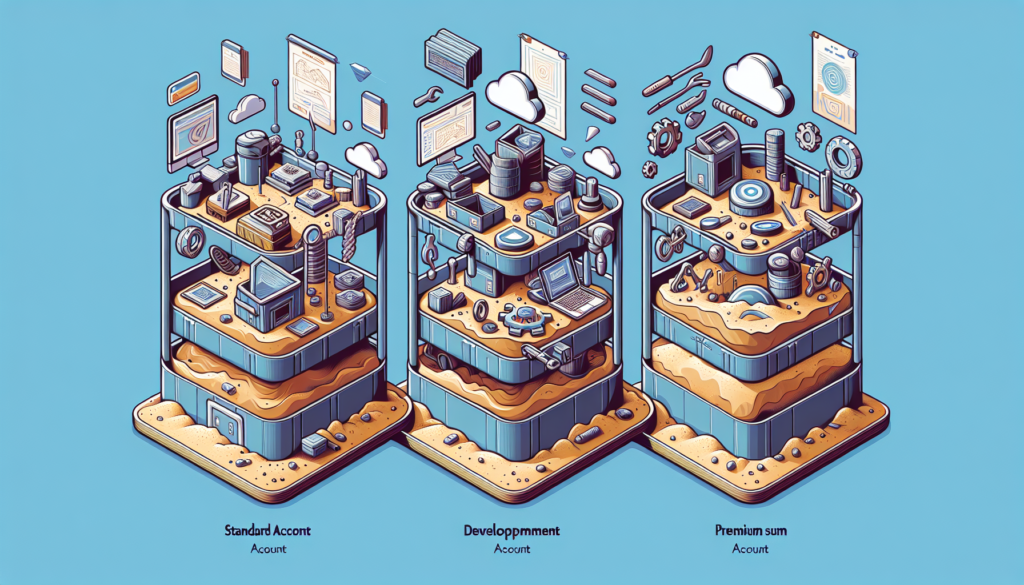
The Three Types of NetSuite Sandbox
Standard Sandbox
The Standard Sandbox (sometimes called Sandbox 1) is included with most NetSuite licences at no extra cost. It copies your account configuration, customisations, roles, and settings from production, but does not include transactional data by default.
This makes it suitable for testing configuration changes, workflow adjustments, role permission updates, and new saved searches. It is less useful for scenarios where you need realistic data volumes to validate performance or complex report logic.
Key characteristics:
- Included with most NetSuite licences
- Copies configurations, customisations, roles, and scripts
- Does not include transactional data unless specifically requested
- Can be refreshed once per day
- Suitable for configuration and workflow testing
Premium Sandbox
The Premium Sandbox is a full copy of your production environment, including all transactional data, records, and history. This is the environment you need when testing data-dependent processes such as revenue recognition rules, complex approval workflows, financial reports, or bulk data operations.
Premium Sandboxes require a separate licence and come at an additional cost. For mid-market businesses running complex NetSuite configurations, the investment is almost always worthwhile. The cost of a Premium Sandbox is significantly less than the cost of a production issue caused by untested changes.
Key characteristics:
- Full copy of production, including all data
- Requires separate licensing (additional cost)
- Essential for testing data-dependent logic and integrations
- Refresh process is more involved due to data volume
- Recommended for businesses with complex configurations
Development Sandbox (Development Account)
Development accounts are standalone NetSuite environments designed for building SuiteScript customisations, SuiteApps, and custom integrations. Unlike Standard and Premium sandboxes, development accounts do not automatically mirror your production configuration.
These are primarily used by developers and technical teams who need an isolated environment for writing and testing code. If your organisation builds custom SuiteScript solutions or develops SuiteApps, a development account is essential for keeping development work separate from both production and your testing sandbox.
Key characteristics:
- Standalone environment, not a mirror of production
- Designed for SuiteScript and SuiteApp development
- Used primarily by technical teams and developers
- Does not refresh from production automatically
- Separate from your testing sandbox
How to Set Up Your NetSuite Sandbox
Step 1: Check Your Entitlement
Log into your NetSuite account and navigate to Setup, then Company, then Billing Information. Your sandbox entitlement will be listed in your licence details. If you are unsure, your NetSuite account manager or your implementation partner can confirm what is included.
Step 2: Request a Sandbox Refresh
For a Standard Sandbox, navigate to Setup, then Company, then Setup Tasks, and select the sandbox refresh option. The refresh copies your current production configuration to the sandbox. This process typically completes within a few hours, depending on the complexity of your account.
For a Premium Sandbox, the process involves submitting a refresh request. Due to the data volume involved, allow additional time for the refresh to complete. Oracle recommends scheduling refreshes during off-peak hours.
Step 3: Configure Access
After the refresh completes, you will access the sandbox through a separate URL (typically system.netsuite.com with a sandbox-specific account ID, or via the account selector). Ensure that the appropriate team members have sandbox access configured in their roles.
Step 4: Update Integration Endpoints
This step is critical and frequently overlooked. If you run integrations with third-party systems using tools like Celigo or Dell Boomi, you must update the API endpoints and credentials in those systems to point to the sandbox, not production. Failing to do this can result in test data flowing into live systems, or live data being modified by sandbox testing.
Best Practices for NetSuite Sandbox Management
Establish a Change Management Process
Every change to your NetSuite production environment should follow a consistent path: develop or configure in sandbox, test thoroughly, document the results, obtain sign-off, then migrate to production. This sounds obvious, but we regularly encounter organisations where changes are made directly in production because the sandbox process is perceived as too slow.
Refresh Regularly
A sandbox that has not been refreshed in months may have a configuration that no longer matches production. This means your testing results may not be reliable. Establish a regular refresh schedule, particularly before major testing cycles.
Use Realistic Test Scenarios
Testing a workflow with a single record does not tell you how it will perform when processing hundreds of transactions. Create test scripts that reflect real business volumes and edge cases. If you are testing a revenue recognition configuration, use data that mirrors your actual revenue streams.
Document Everything
Maintain a testing log that records what was tested, who tested it, the results, and the decision made (approved for production, needs rework, etc.). This creates an audit trail and prevents the same issues from being retested repeatedly.
Manage Sandbox Data Carefully
If you are using a Premium Sandbox with real data, be aware that this data may include sensitive customer and financial information. Apply the same access controls and data handling policies to your sandbox as you do to production.
Common Mistakes to Avoid
Skipping the sandbox entirely. The most common and most damaging mistake. “It is a small change” is how production outages begin.
Assuming sandbox equals production. After a refresh, verify that the sandbox configuration matches what you expect. Custom records, scripts, and workflows should all be checked before testing begins.
Forgetting email settings. By default, sandbox environments may send real emails to real customers. Ensure that email settings are configured to suppress or redirect outbound emails in the sandbox.
Not testing integrations end-to-end. Testing the NetSuite side of an integration without also testing the connected system (CRM, ecommerce platform, payment provider) gives you an incomplete picture.
Making changes in sandbox but migrating manually. If you make configuration changes in the sandbox and then try to recreate them manually in production, you will introduce errors. Use SuiteCloud Development Framework (SDF) or a structured migration checklist to ensure consistency.
When to Invest in a Premium Sandbox
Not every organisation needs a Premium Sandbox, but you should seriously consider one if your business meets any of these criteria:
- You run complex revenue recognition or financial reporting configurations
- You process high transaction volumes and need to test performance
- You have multiple integrations with external systems
- You are planning a major system upgrade or module activation
- You have compliance or audit requirements that demand documented testing with realistic data
For most mid-market businesses running NetSuite as their core ERP, the cost of a Premium Sandbox is a fraction of the cost of a production incident.
Book a free consultation with TrueVantage to discuss your NetSuite sandbox strategy and ensure your testing environment is set up correctly.
Frequently Asked Questions
What is a NetSuite sandbox?
A NetSuite sandbox is a copy of your production account used for testing, development, and training. It contains your configurations, customisations, and optionally your data, but is completely isolated from your live environment so changes cannot affect production.
How many types of NetSuite sandbox are there?
Oracle NetSuite offers three sandbox types: Standard Sandbox (included with most licences), Premium Sandbox (full production copy with data), and Development Sandbox (for SuiteScript and SuiteApp development). Each has different capabilities and pricing.
Is a NetSuite sandbox included in my licence?
A Standard Sandbox is typically included with NetSuite licences at no additional cost. Premium and Development sandboxes require separate licensing. Check your NetSuite contract or speak with your account manager to confirm what is included.
How often can I refresh my NetSuite sandbox?
Standard Sandbox can be refreshed once per day. Premium Sandbox refreshes are managed through a request process and may take longer depending on data volume. Development accounts do not refresh from production in the same way.
Can I test integrations in a NetSuite sandbox?
Yes, and you should. Sandboxes support integration testing with tools like Celigo and Dell Boomi. You will need to configure separate API credentials and endpoints for the sandbox environment, and ensure any connected third-party systems also have test environments available.
What is the difference between a NetSuite sandbox and a development account?
A sandbox mirrors your production account structure and can include your data. A development account is a standalone environment primarily used for building SuiteScript customisations and SuiteApps. Development accounts do not automatically reflect your production configuration.
What are common mistakes when using a NetSuite sandbox?
Common mistakes include treating the sandbox as identical to production without verifying data accuracy, forgetting to update integration endpoints after a refresh, testing with outdated data, making changes directly in production because the sandbox process feels slow, and not documenting what was tested.
A NetSuite sandbox is a separate environment that mirrors your production NetSuite account, allowing you to test configurations, customisations, scripts, and workflows without affecting live business data. Oracle offers three sandbox types with different capabilities and refresh options.